
Dear CoinScope account users:
In order to bring you a more convenient, secure and thoughtful user experience, CoinScope has fully optimized the login system in the latest version. The main contents of this update are as follows:
1. Added multiple convenient login methods
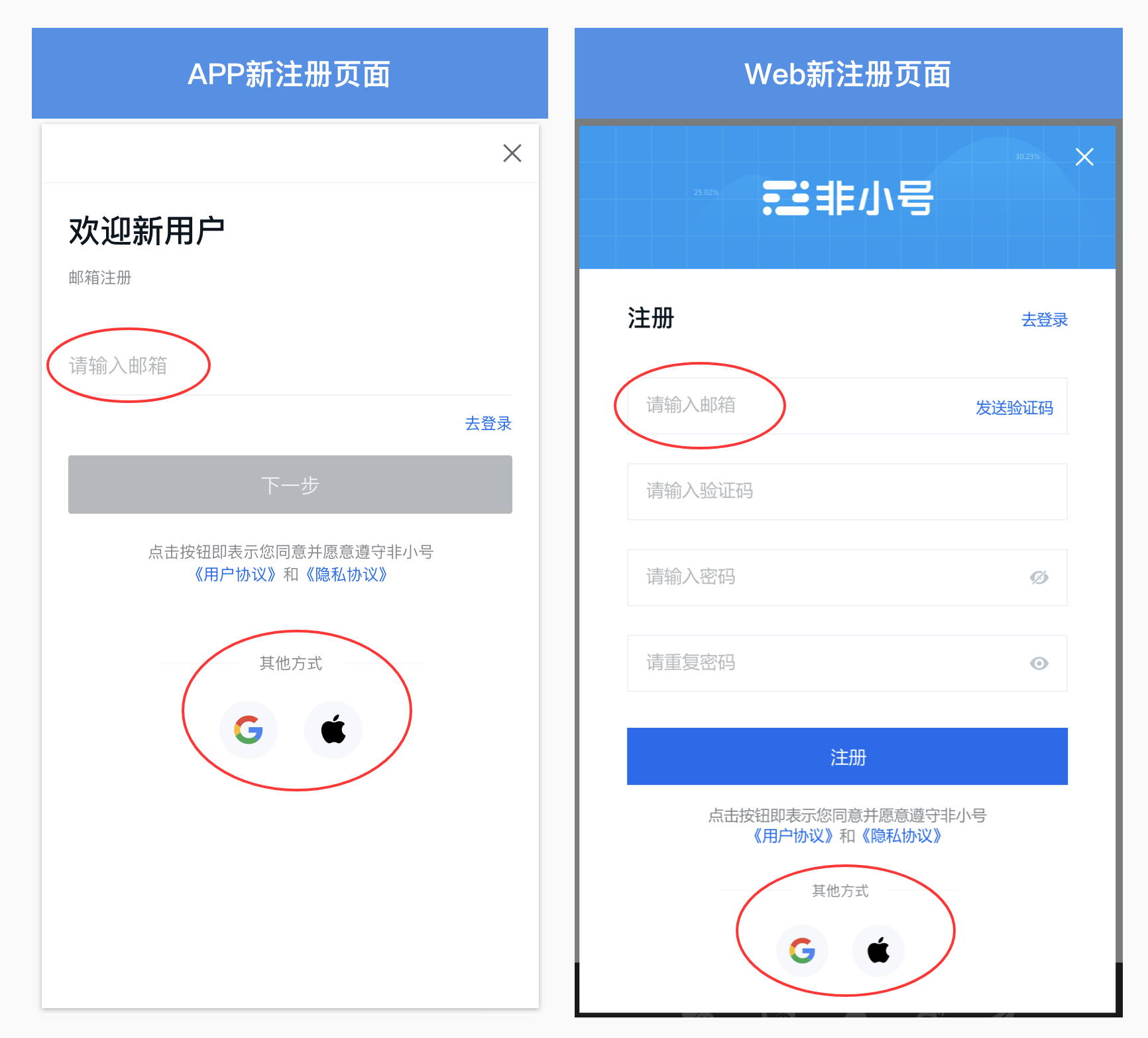
In order to allow you to access your account easily and securely, we have added a variety of new login methods, which you can choose according to your personal needs:
-
Email registration/login: Bind accounts through email to facilitate management and improve account retrieval and protection capabilities.
-
Google account registration/login: Quickly log in with a Google account, eliminating the trouble of remembering passwords while enjoying Google's powerful security.
-
Apple account registration/login: Supports one-click login with Apple account, and relies on Apple's privacy protection to ensure the safety of your personal information.
2. Seamless transition for users of the old version
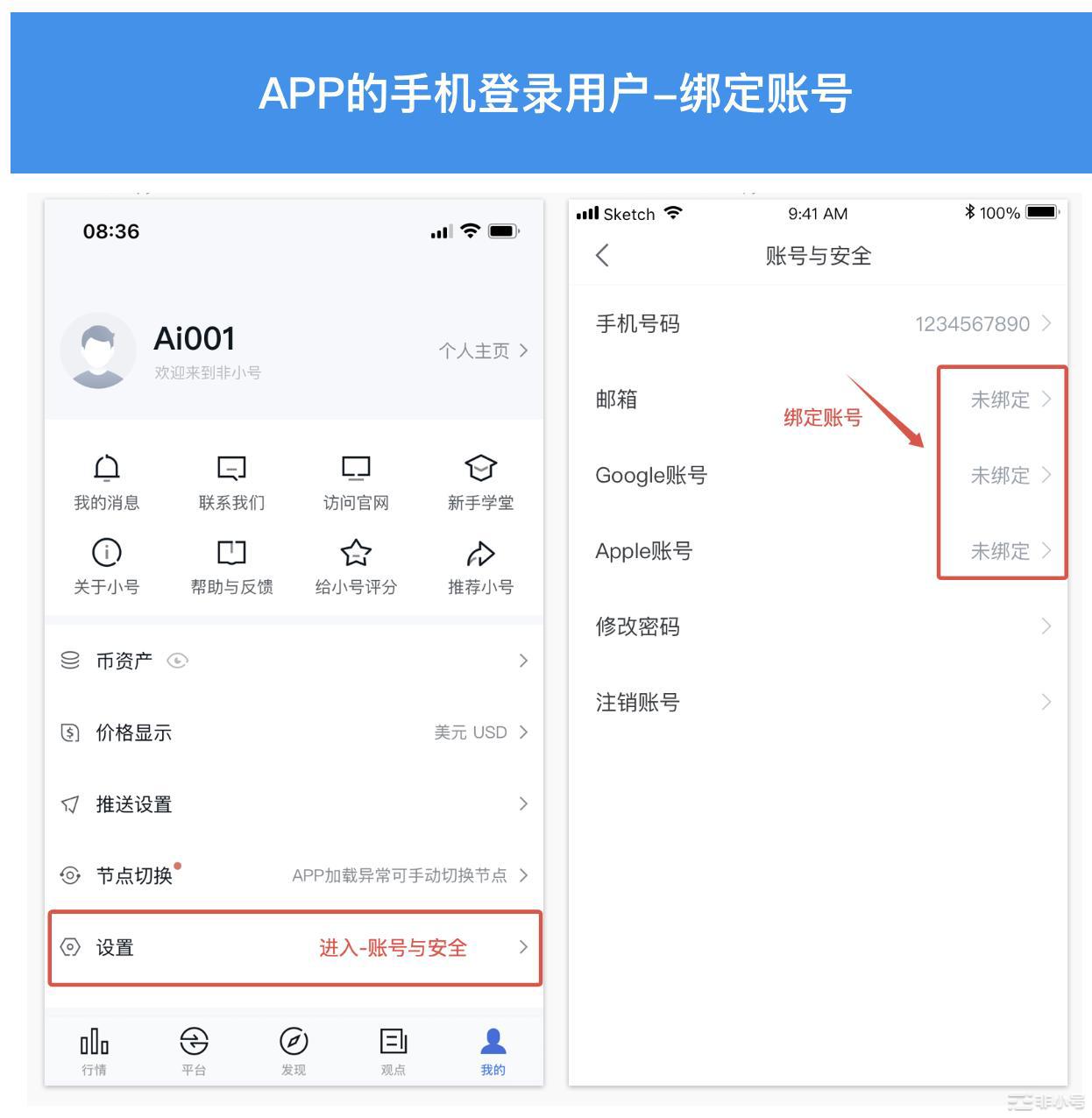
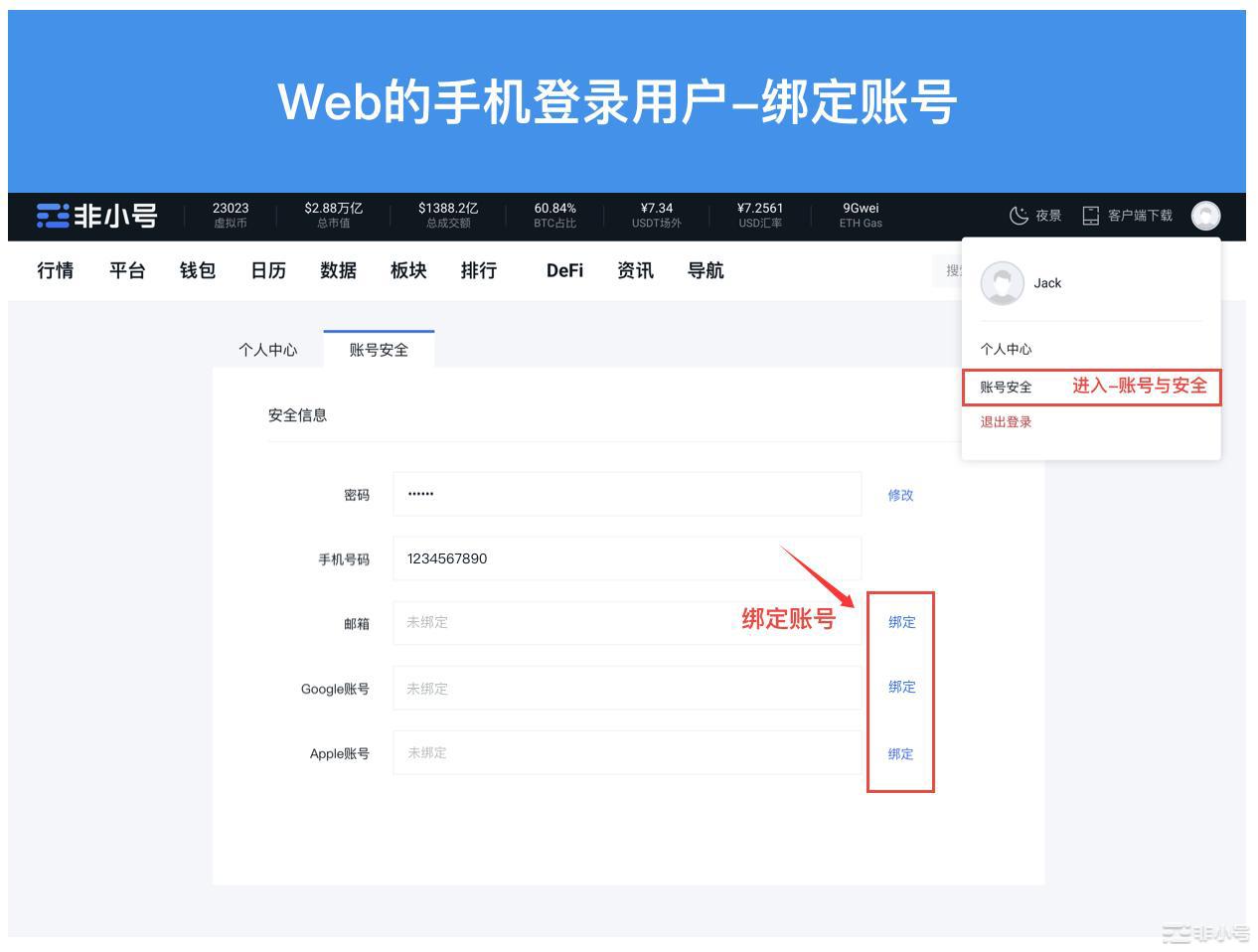
For mobile phone login users who are still using the old version of the APP, we have provided a convenient transition method:
-
Bind email/Google/Apple account: Just enter the new version of "APP-My-Settings-Account and Security" page to easily bind your email or third-party account. In this way, you can not only enjoy a smoother user experience, but also simplify the login process and avoid the trouble of forgetting your password.
3. FAQ
1)For APP users, when clicking on Google login, the loading is abnormal, or the prompt "Google service call failed, please check the relevant service configuration of your phone." The following problems may exist:
a)Google Play services are not installed or enabled(Google Play services)
-
Problem description:If Google Play Services is not installed on the device, or if it is disabled, the Google Sign-in feature will not load properly. Google Play services are the core services that implement Google account authentication, synchronization and other functions.
-
Solution:Check if Google Play Services is installed and make sure it is enabled. Google Play services can be found in Settings > App Management and enabled. If it is not installed, you can search for it through Google Play Store Google Play services Download and install.
-
Download from Google Play Store (please note that the download link is provided by a third-party network and may change or become invalid at any time. You need to use relevant data and content with caution and bear all risks)
-
https://apkpure.com/cn/google-play-store/com.android.vending
b)Regional restrictions or unavailability of Google services
-
Problem description:In some areas, Google services (including Google Sign-in) may not work properly due to policy restrictions.
-
Solution:If your device is located in some areas that restrict the use of Google services, you can try using VPN to switch to a region that supports Google services, or choose other available login methods (such as mobile phone number login, email login, etc.).
----
Official information:
• The only official website:
•Official download address:
• Official community:
• Official email:
• Official Twitter:
• Official verification channel:
Thank you all for your understanding and support!
The CoinScope team will continue to walk with you towards a new era of the blockchain industry!